
The Providence Journal, R.I.
USA TODAY Co.News & Magazines
3.085.00 Reviews
- Version
- 8.10.3
- Installs
- 10.00K
- Age Rating
- Everyone
Screenshots




Our Review of The Providence Journal, R.I.
 Analysis by Appyee
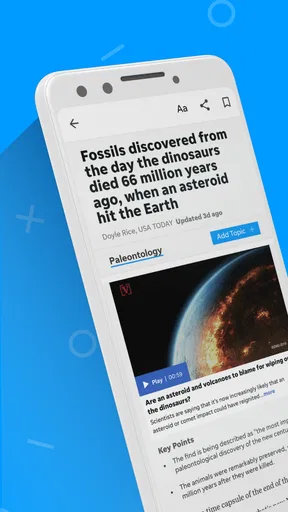
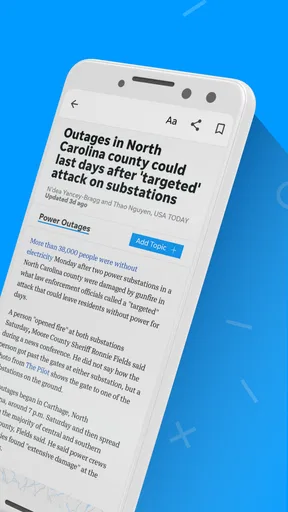
I approached The Providence Journal, R.I. as a compact way to keep up with local and national reporting rather than as a complete replacement for every news source on my phone. Published by USA TODAY Co., this free News & Magazines app focuses on Providence Journal coverage, with photography and video playing an important part in the reading experience. That makes it especially relevant if local context matters to you, but its usefulness depends on how you prefer to consume news and how much multimedia you want alongside written stories.
My overall impression is mixed but practical. The app is easy to understand, has an Everyone age rating, and should appeal to readers who want a dedicated publication rather than a broad headline aggregator. At the same time, the average rating sits at 3.0 from around 214 ratings, so I would not describe it as universally polished. The right question is not whether it is perfect, but whether a focused Providence Journal experience fits your daily routine better than a general news app or a mobile browser.
How the app feels during ordinary reading
For a quick check during breakfast, I would expect the app to make the most sense when I already know I want Providence Journal material. A dedicated publication app removes some of the distraction found in large aggregators, where local stories can be buried beneath national headlines, opinion pieces, entertainment and algorithmic recommendations. Here, the identity is much clearer: local and national reporting presented through one newspaper’s lens.
Speed matters most in these short sessions. News readers often open an app to scan a few headlines, read one story and leave. The Providence Journal app appears designed for that kind of repeated visit, although the presence of rich photography and video means the experience is not limited to lightweight text. In practical terms, I would treat headline browsing as the least demanding part of the app and multimedia stories as the moments when loading may feel more dependent on the phone and connection being used.
I would not install it expecting a completely bare-bones text reader. The store summary emphasizes visual journalism and video, and that changes the performance trade-off. A story with a strong photograph can be more informative and engaging than a plain headline, while video can add useful context. The cost is that media-rich pages are naturally more demanding than a simple list of headlines.
The most sensible speed expectation is quick scanning first, deeper multimedia reading second. If I were deciding whether to keep it installed, I would judge it on both experiences rather than on the opening screen alone. Someone who mainly wants written headlines may find the visual emphasis unnecessary, while a reader who values presentation may see it as part of the app’s appeal.
What I would do during a busy morning
My realistic routine would be to open the app before work, scan local headlines, save the most relevant story mentally for later, and avoid starting a video when I only have a minute. That small habit matters because multimedia can turn a quick news check into a longer session. The app is better suited to intentional reading than to frantic one-handed browsing when every second counts.
For commuters, students and people checking updates between appointments, I would begin with headlines and text-heavy articles. I would leave photography galleries or video for a stable connection and a few uninterrupted minutes. This is not a criticism of the content; it is simply a better way to manage the difference between fast information retrieval and richer journalism.
Another useful approach is to use the app as a local-news checkpoint rather than leaving it open continuously. Open it at chosen times, read the stories that matter, then close it. That workflow reduces the temptation to repeatedly refresh a publication app and makes its focused coverage feel more purposeful.
When reading becomes resource-heavy
The demanding moments are likely to come from pages that combine article text, large images and video. I would be especially cautious on an older device, a nearly full phone, or a weak mobile connection. Even when an app itself is well designed, heavier pages can take longer to display and may consume more battery or mobile data than a headline list.
This is where the app’s presentation becomes a trade-off. Photography can help me understand a local event quickly, and video may communicate atmosphere or detail that text cannot. However, if I am trying to conserve data, reading in a low-signal area, or using a phone with limited free storage, I would favor the text portions and avoid treating every story as a multimedia session.
A practical reading pattern is to open a story, let the main text become available, and decide whether the visual material is worth loading at that moment. That prevents a short fact check from becoming an unnecessarily heavy session. It also gives the app a fairer test: the core value is the journalism, while the richer media is an enhancement rather than something I need to use every time.
For people who follow breaking local developments, repeated checking can create a different kind of strain. The app’s focus is useful because it keeps the subject area narrow, but frequent reopening can feel less efficient than a notification-based workflow or a browser bookmark if all I need is one specific update. I would use this app for context and continuing coverage, not only for rapid-fire confirmation of a single fact.
Stability and recovering from interruptions
Reliability is more than whether an app opens successfully. A news app also needs to behave sensibly when I switch to another application, lose signal, receive a call, or return after leaving it unused. Since this is a publication reader with image and video content, interruptions are especially relevant: a text article and a media-heavy page do not recover in exactly the same way from a disrupted connection.
My advice is to treat the app in two layers. If an article is important, read the essential text before moving away from it. Then return to the visual material once the connection is steady. This is a simple recovery strategy, but it prevents a half-loaded video or image from becoming the reason I abandon the story altogether.
The app’s average rating suggests that the experience has not been flawless for everyone, although a rating alone cannot explain every individual complaint. I would therefore avoid relying on it as my only route to important information. Keeping a browser or another trusted news source available is sensible, particularly during major local events when access and timing matter more than the convenience of one dedicated app.
That does not make the app unreliable by definition. It means I would use it as one part of my news routine. Dedicated publication apps are valuable when they consistently present a publication’s reporting in a readable form, but they are less convenient when I need many outlets, rapid cross-checking or a single universal search.
Older phones, operating-system needs and everyday limits
The current version is 8.10.3, and the app requires Android 8.0 or later. That requirement is reasonable for many users, but it immediately excludes phones that cannot run that operating-system generation. Before installing, I would check the Android version rather than assuming that any working smartphone can use it.
On a newer phone, the main limitation is less likely to be basic compatibility and more likely to be how comfortably the device handles media-rich news pages. A small screen can make long articles tiring, while an older handset may feel less responsive when photographs and video are involved. Readers with limited storage should also remember that a news app is not only a headline utility; its content presentation can make each session more substantial than a plain text feed.
I would also consider the payment model before making the app central to my routine. The app is free to install, but in-app purchases range from $19.99 to $69.99 per item. That does not automatically make it poor value, yet it does mean I would pay attention to any purchase screen and understand what I am selecting before confirming. If I only want occasional local headlines, I would first decide whether the free experience meets that need. If I expect to use the publication regularly, I would evaluate the purchase in terms of long-term reading value rather than assuming installation alone includes everything I might want.
This is one area where the app may not suit casual readers. Someone who wants entirely frictionless access to a wide range of free sources may prefer a general aggregator or mobile browser. On the other hand, a reader who specifically values Providence Journal coverage may consider a dedicated publication experience more focused than a collection of unrelated feeds.
Where it beats general news alternatives
Compared with a general news aggregator, the app’s clearest advantage is focus. Aggregators are useful when I want several publishers in one place, but they can flatten local coverage into just another headline among national stories. A Providence Journal app gives the publication a dedicated space, which is more convenient when local reporting is the reason I opened the phone in the first place.
Compared with using the newspaper’s website in a mobile browser, the app offers a more direct route into the publication’s mobile experience. I do not have to begin with a browser tab or remember the exact site path each time. That convenience is meaningful for habitual readers, especially those who check local news at the same points in their day.
The browser remains better for occasional visitors, people who are trying to conserve app space, and readers who want to compare multiple sources quickly. A browser also makes it easier to move from a Providence Journal story to another publication without changing context. I would choose the app when the publication itself is my destination, and the browser when the destination changes frequently.
Compared with a television news app, this one should be more useful for reading at my own pace. Local written reporting can be revisited and scanned, while video adds a more immediate visual layer when I have time for it. The trade-off is that a dedicated newspaper app may feel less instantly broad than a national broadcaster’s app. Neither approach is automatically better; it depends on whether I want depth around Providence-area news or a wider live-news overview.
Who will get the most from it
I would recommend trying it to someone who follows Providence-area issues, wants local reporting alongside national coverage, and appreciates photographs or video rather than text alone. It is also a reasonable fit for a family member who prefers one familiar publication over a constantly changing collection of sources. The Everyone rating makes it broadly accessible from an age-category perspective.
The app is less compelling for someone who wants a highly customizable multi-source feed, a minimalist reader with almost no media, or a single place to compare competing accounts of the same event. It may also be the wrong choice for a person using an Android phone older than the required operating-system level or for someone who does not want to think about in-app purchases at all.
There is another subtle distinction: local-news loyalty matters here. If I rarely read Providence Journal reporting, the dedicated app may not earn a permanent place on my home screen. If I regularly search for Providence developments, local voices and regional context, the focused design becomes much more valuable than its modest install base might suggest. It has over 10 thousand installs, which indicates a smaller audience than the biggest national news platforms, but scale is not the same thing as usefulness for a specific community.
My performance verdict after weighing the trade-offs
My verdict is that The Providence Journal is best viewed as a focused local-news companion with a richer visual presentation, not as a universal news command center. Its likely strongest moments are quick headline checks, deliberate reading of local stories and occasional use of photography or video to add context. Its weaker moments are heavy multimedia sessions on constrained devices, repeated checking when I need only one fast fact, and workflows that require many publishers at once.
I like the idea of keeping a dedicated local publication within easy reach, and the app’s combination of local and national reporting gives it more range than a purely neighborhood bulletin. Still, I would install it with realistic expectations. The free entry point is convenient, but the listed in-app purchase range means I would review the available options carefully. I would also keep another source nearby for cross-checking and broader coverage.
USA TODAY Co. has created an app for readers who want the Providence Journal experience in a dedicated mobile format. For me, the decision comes down to habit: if local reporting is part of my daily routine, the app is worth testing; if I only consume occasional headlines or prefer a broad aggregator, the browser may be the simpler option. Choose it for focused Providence coverage and richer story presentation, not for maximum customization or the lightest possible news feed.
After considering speed expectations, heavier reading moments, recovery from interruptions and device constraints, I would describe it as useful but situational. It can fit comfortably into a local-news routine when I read selectively and treat video as optional enrichment. I would skip it when my priority is a single cross-source dashboard, extremely low resource use or a completely straightforward free-reading experience.
Verdict
Strengths of The Providence Journal, R.I.
- Covers Rhode Island news with strong local context and community focus.
- Offers timely updates on breaking stories, politics, business, and local events.
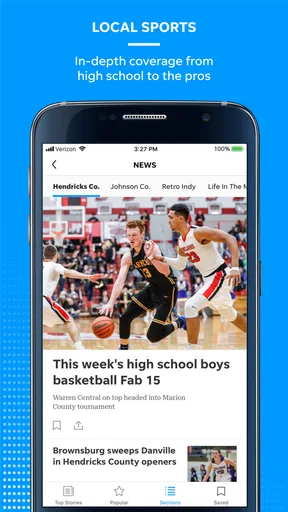
- Includes useful coverage of local sports teams and high school athletics.
- Digital access makes the newspaper convenient to read while traveling.
- Supports personalized reading through saved articles and topic preferences.
Limitations of The Providence Journal, R.I.
- Some articles or features may require a paid subscription to access.
- Advertising can occasionally interrupt reading and reduce screen space.
- App performance may vary depending on device and internet connection.
- Coverage is highly regional and may feel limited for readers outside Rhode Island.
- Some content may load slowly during major breaking-news events.
Other Releases by USA TODAY Co.
View All
IndyStar: Indianapolis Star
News & Magazines2.7

AZ Central: Arizona Republic
News & Magazines2.5

The Detroit News: Local News
News & Magazines3.1

Detroit Free Press: Freep
News & Magazines3.0
Similar Picks in This Category
View All
Google News - Daily Headlines
Google LLC4.0

X
X Corp.4.8

Flipboard:Your Social Magazine
Flipboard3.4

Opera News: breaking & local
Opera4.5

Hindi News by Dainik Bhaskar
Dainik Bhaskar Group4.0

Way2News Daily News App
Way2News ( Formerly Way2SMS )4.6
Frequently Asked Questions
What is The Providence Journal, R.I. app?
The Providence Journal, R.I. app is a digital news platform for staying informed about Providence, Rhode Island, and surrounding communities. It typically provides access to local reporting, breaking news, politics, sports, business, entertainment, opinion articles, and regional updates. The app is designed for readers who want convenient access to the newspaper’s coverage from an Android or iOS device.
Is The Providence Journal app free to download and use?
The app can generally be downloaded at no initial cost from the relevant app store, but access to all articles and premium features may require a subscription or account. Some content may be available without payment, while frequent readers could encounter a paywall after viewing a limited number of stories. Check the current in-app subscription options and terms before subscribing.
What type of news and content can I find in the app?
The Providence Journal app focuses primarily on news from Rhode Island, Providence, and nearby areas. Depending on the current edition and available features, users may find local investigations, community news, high school and professional sports, weather, obituaries, business coverage, lifestyle stories, editorials, and national or international stories selected for regional readers.
Does the app require an account or subscription?
You may be able to browse certain articles without signing in, but an account is often needed to access subscriber-only content, manage preferences, save stories, or use other personalized features. A paid digital subscription may also be required for unlimited reading. Before downloading, review the subscription details, renewal conditions, and cancellation policy displayed in the app.
Can I receive breaking-news alerts from The Providence Journal?
The Providence Journal app may support push notifications for breaking news, important local developments, sports updates, weather information, and other selected topics. Notifications normally require permission from your device, and you can often adjust them in the app or operating-system settings. If you prefer fewer interruptions, disable nonessential alerts while keeping only the categories you consider important.
